Press kit
Jotcal · The calendar you glance at
Everything here is free to use in coverage of Jotcal: screenshots, the icon, the demo clip, and the copy below. No permission needed, no approval process, no embargo. If you want something that isn't here, ask and you'll get it.
Fact sheet
- Name
- Jotcal: Calm Calendar
- Developer
- Aston Gilliland, trading as Jotcal. Published under the studiodefault label.
- Platforms
- iOS and iPadOS, Android (phone, tablet, and e-ink devices such as Boox and Supernote)
- Category
- Productivity
- Price
- Free to download, with a 14-day full trial. Pro is a one-time unlock at US$12.99, no subscription. The base price is set in US dollars and each store converts it, so the local figure varies; please quote your own store's price rather than converting this one. The price is deliberately low for a first release and will rise as the app fills out. Anyone who buys at US$12.99 keeps every future update at that price.
- Status
- Out on both platforms. Jotcal went live on Google Play in early August 2026 and on the App Store on 8 August 2026. Download it on the App Store or on Google Play. Everything in this kit is final and free to use today.
- Availability
- Worldwide at release, with the store listing localised into 13 languages.
- Languages
- English (US, UK, AU, CA), German, Spanish (Spain and Latin America), French, Japanese, Korean, Portuguese (Brazil), Simplified and Traditional Chinese
- Website
- jotcal.app
- Press contact
- support@jotcal.app
What Jotcal is
One line
Jotcal is a family calendar designed to be seen, not managed.
One paragraph
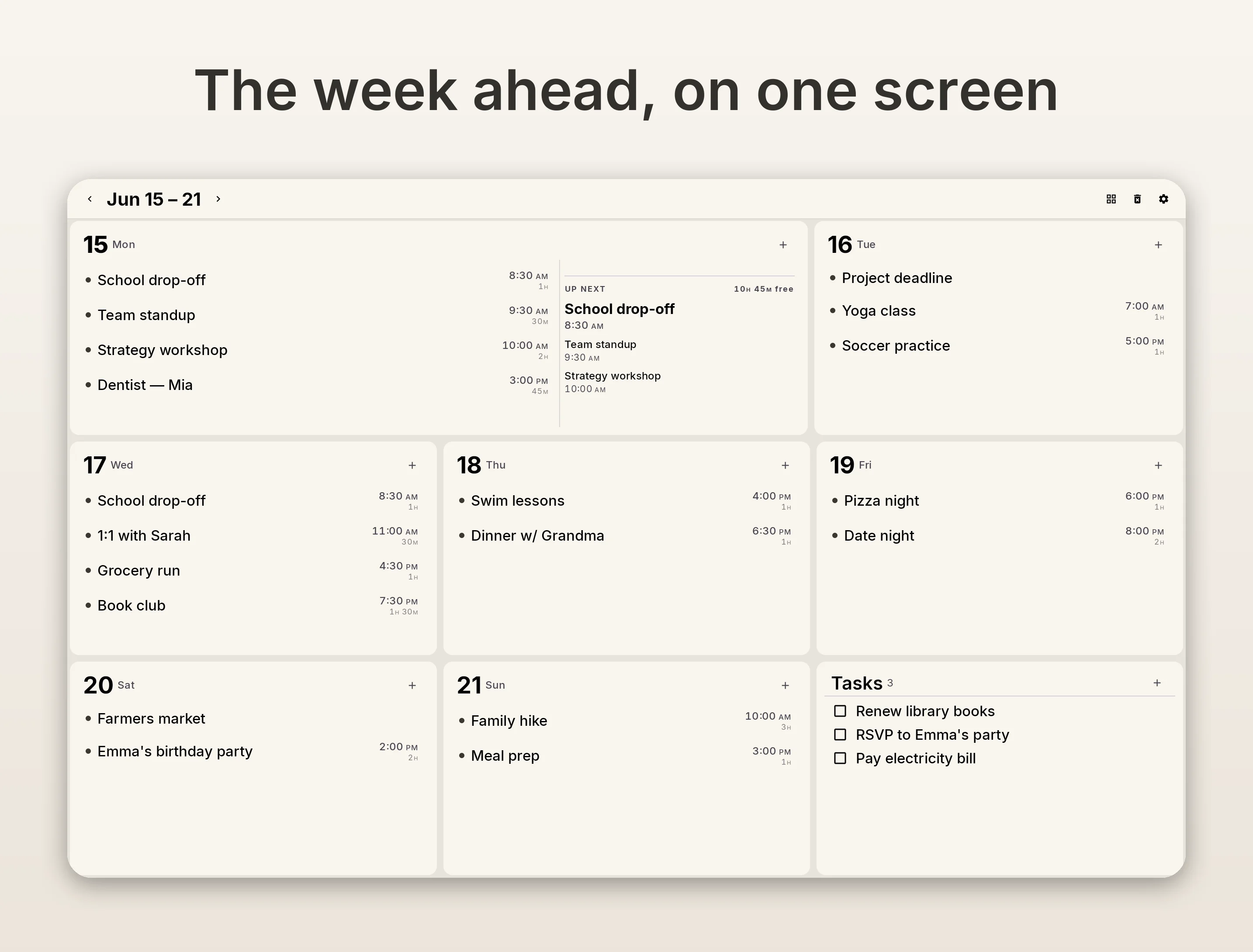
Jotcal is a calendar you read from across the room instead of one you scroll through. It sits on a tablet on the kitchen wall, or in your pocket, and answers three questions at a glance: what's happening now, what's next, and is my day clear. You can write an event by hand with a stylus and watch it become a real, synced calendar entry. It reads your existing calendars, so there's no new account and nothing to migrate. Pro is a one-time purchase, and there is no subscription.
Longer, if you need it
Most calendar apps are built for people managing a schedule: dense grids, tap targets, endless lists. Jotcal is built for the moment before that, when you walk past a screen and want to know whether the afternoon is free. The whole app is one calm surface, and the design work went into legibility at distance rather than into feature count.
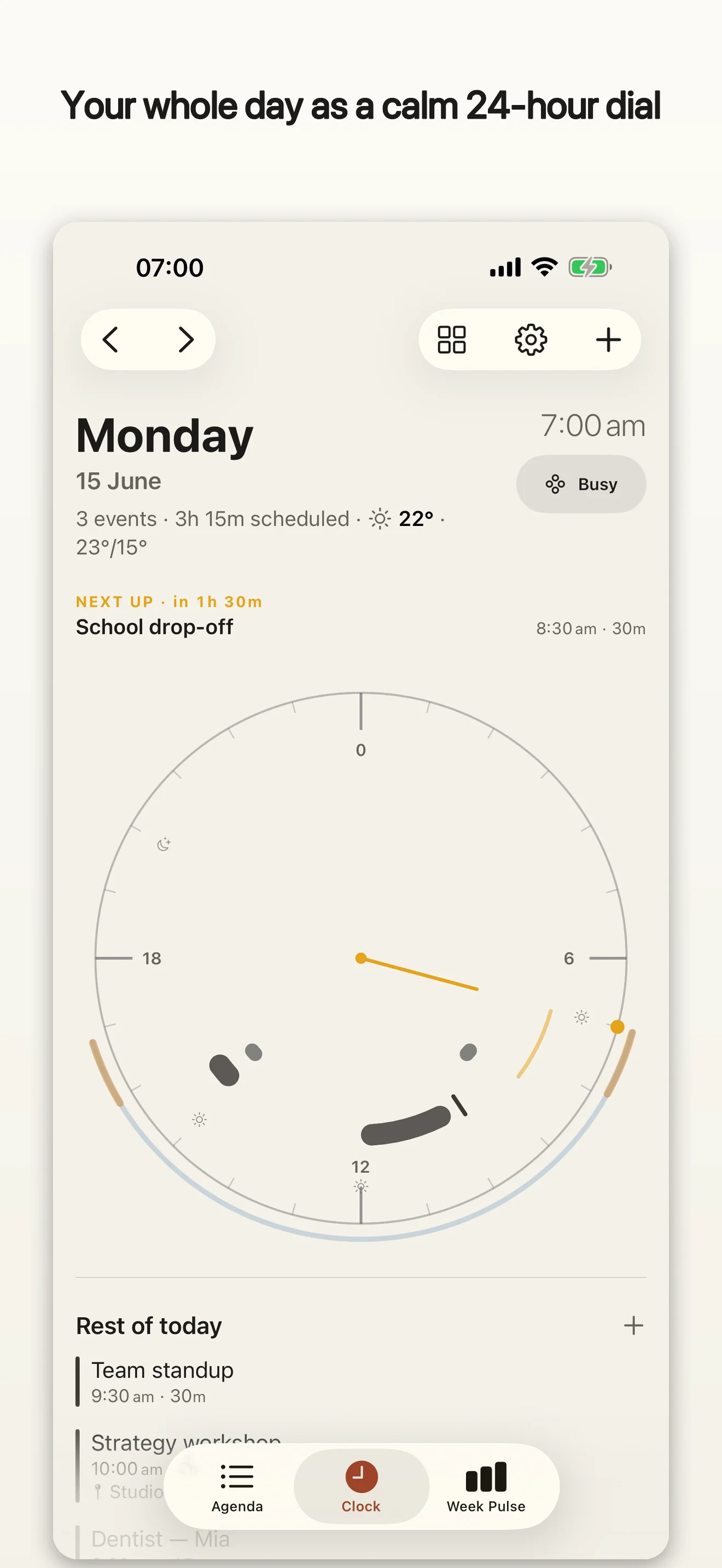
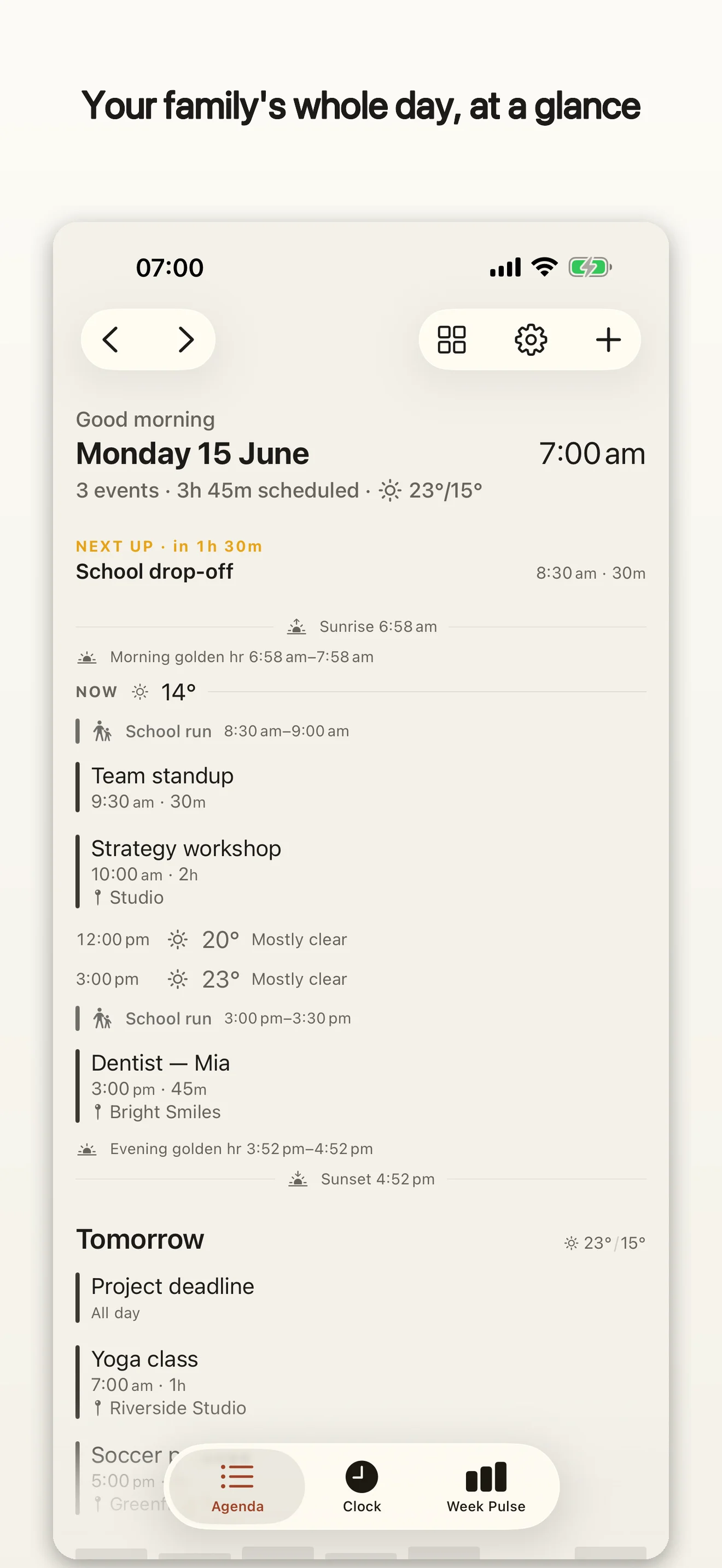
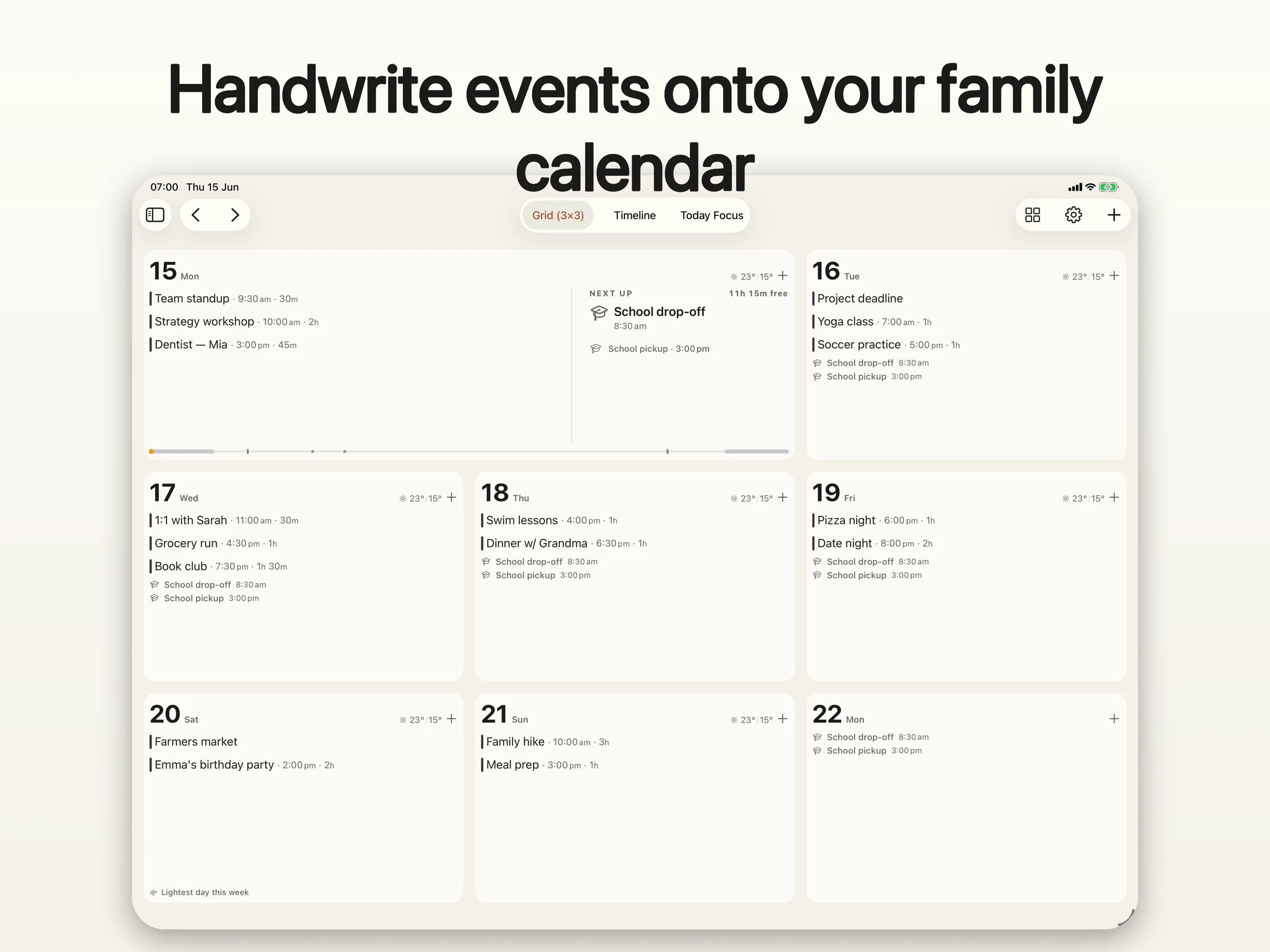
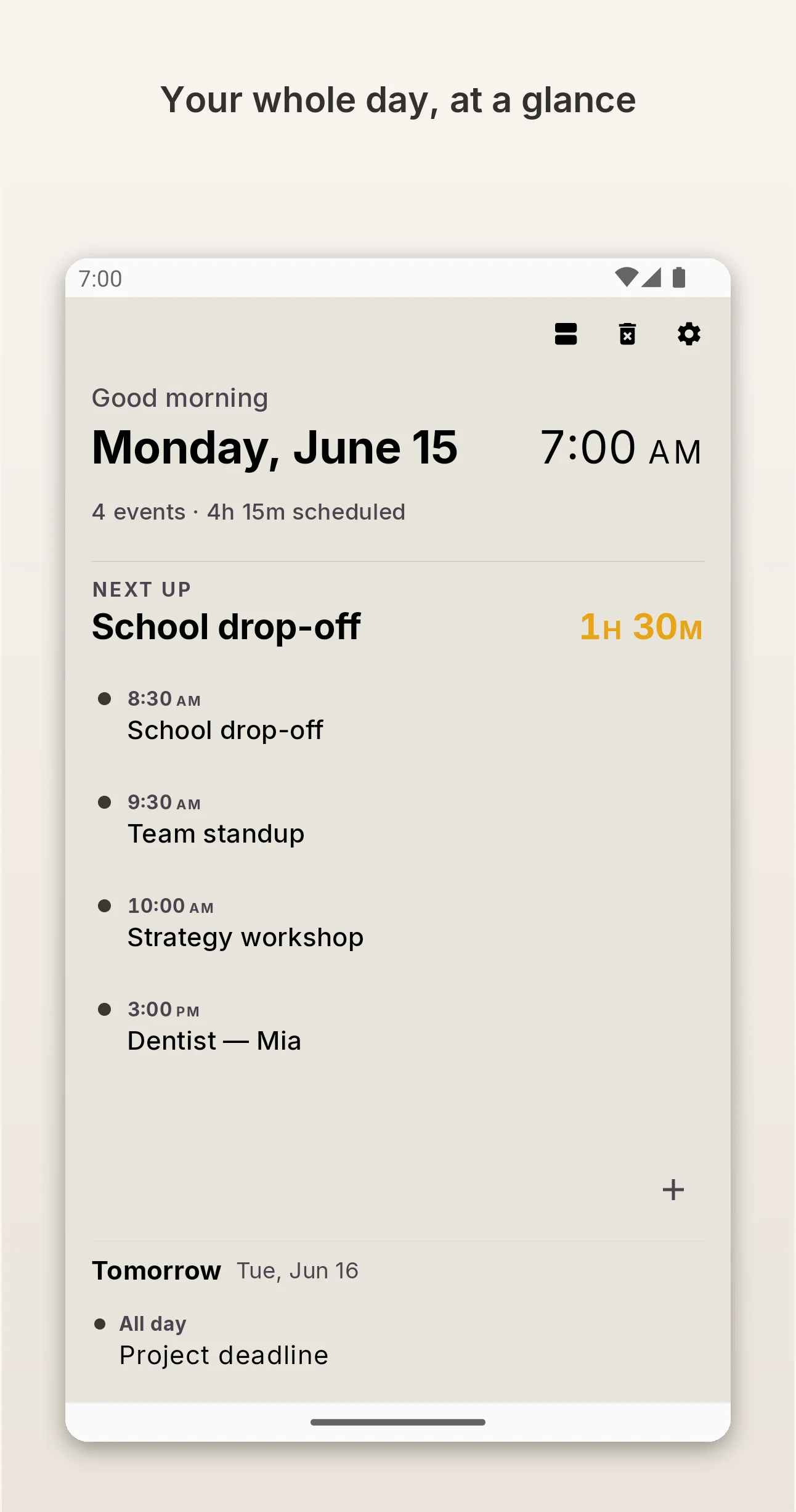
There are five ways to read a day. Agenda and a month Grid are the conventional ones. Timeline lays the day out as a horizontal band, Daybook reduces it to what's next, and the Dial draws the day on a 24-hour analog face, so a busy afternoon is a shape you recognise rather than a list you parse. The layout adapts to the device, and the palette is a warm paper canvas that holds up on e-ink, where most calendar apps fall apart.
Three things worth writing about
Handwriting that becomes a real event
Write "soccer Thu 5pm" on the calendar with a stylus and Jotcal parses it into a synced event, then shows a small receipt chip confirming what it understood. This is recognition, not annotation: the ink doesn't sit on top of the calendar as a sticky note, it turns into a calendar entry your family's phones will see. Recognition runs entirely on device (Vision and PencilKit on iOS, Google ML Kit Digital Ink on Android). Handwriting strokes never leave the device. It needs a stylus on either platform: an Apple Pencil on iPad, or any active stylus on Android — phone or tablet, including the Boox pen. Finger writing is not supported.
Designed for e-ink, not just tolerated on it
Jotcal has a dedicated e-ink treatment: high-contrast rendering, no animation to smear the panel, and a night mode with pixel shift for always-on wall displays. The e-ink community has a genuine gap here. People buy Boox and Supernote devices to get away from glowing screens and then find that the calendar apps assume a bright, fast display.
Pay once, and no usage tracking
Pro is a one-time unlock. There's no subscription, no account to create, and neither build measures how you use the app: no analytics SDK, no event tracking, no attribution. Calendar data goes straight to your providers over encrypted connections.
The two builds differ in one place, and it's worth stating plainly rather than rounding off. iOS carries no third-party SDKs at all, and crash handling is Apple's on-device MetricKit, so nothing reaches us. Android sends crash reports through Firebase Crashlytics, on by default with a switch in Settings, and it also carries Google ML Kit for handwriting and Microsoft's MSAL for Outlook sign-in. Everything either build collects is listed in the privacy policy.
What it doesn't do (yet)
Jotcal is a first release and is priced that way. If you're comparing it against a mature calendar, these are the gaps you'll find, and they're the honest reason the price starts where it does:
- no travel-time or "leave by" reminders — investigated and deliberately not built, rather than just not-yet-built: neither platform exposes a public API for a live, traffic-aware travel alert
- no chores, meal plans, or shopping lists, and none are planned. Jotcal is a calendar, not a family hub
Free and Pro split on presentation rather than on capability. After the trial, Jotcal falls back to a plain, fully writable calendar with one conventional view per device type. Pro adds the other layouts, the insight layer, weather woven into the day itself, and the ambient widgets. Writing, editing, and deleting events are never gated, and there's no read-only mode.
Assets
The zip above has all of this in one file. Individual downloads are below.
App icon

Demo clip
Handwriting becoming an event, the moment most worth showing. Muted, loopable, no captions burned in.
Download MP4 · Full promo on YouTube
Screenshots
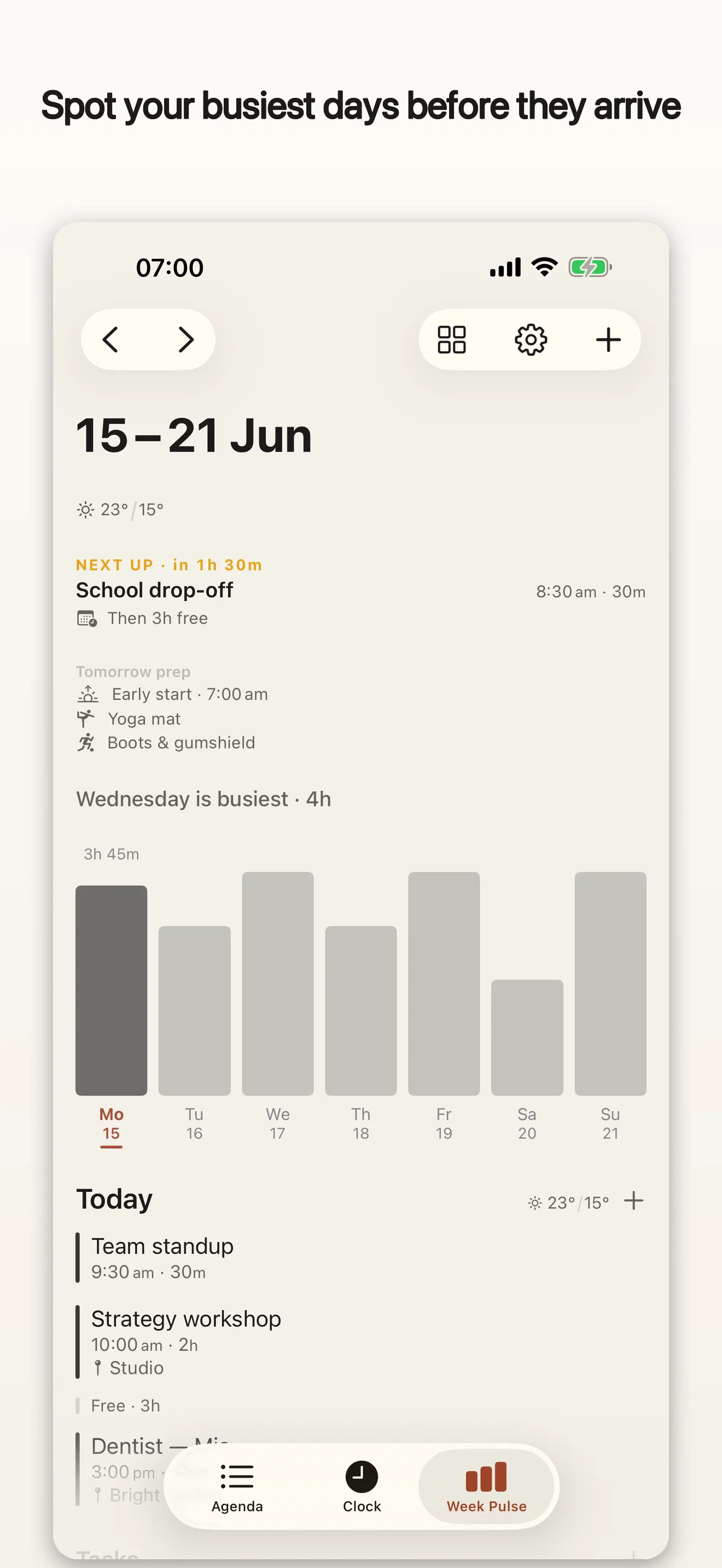
Device-framed, light and dark, on both platforms. The full set of 60 is in the zip; these six are the ones that show the idea fastest.
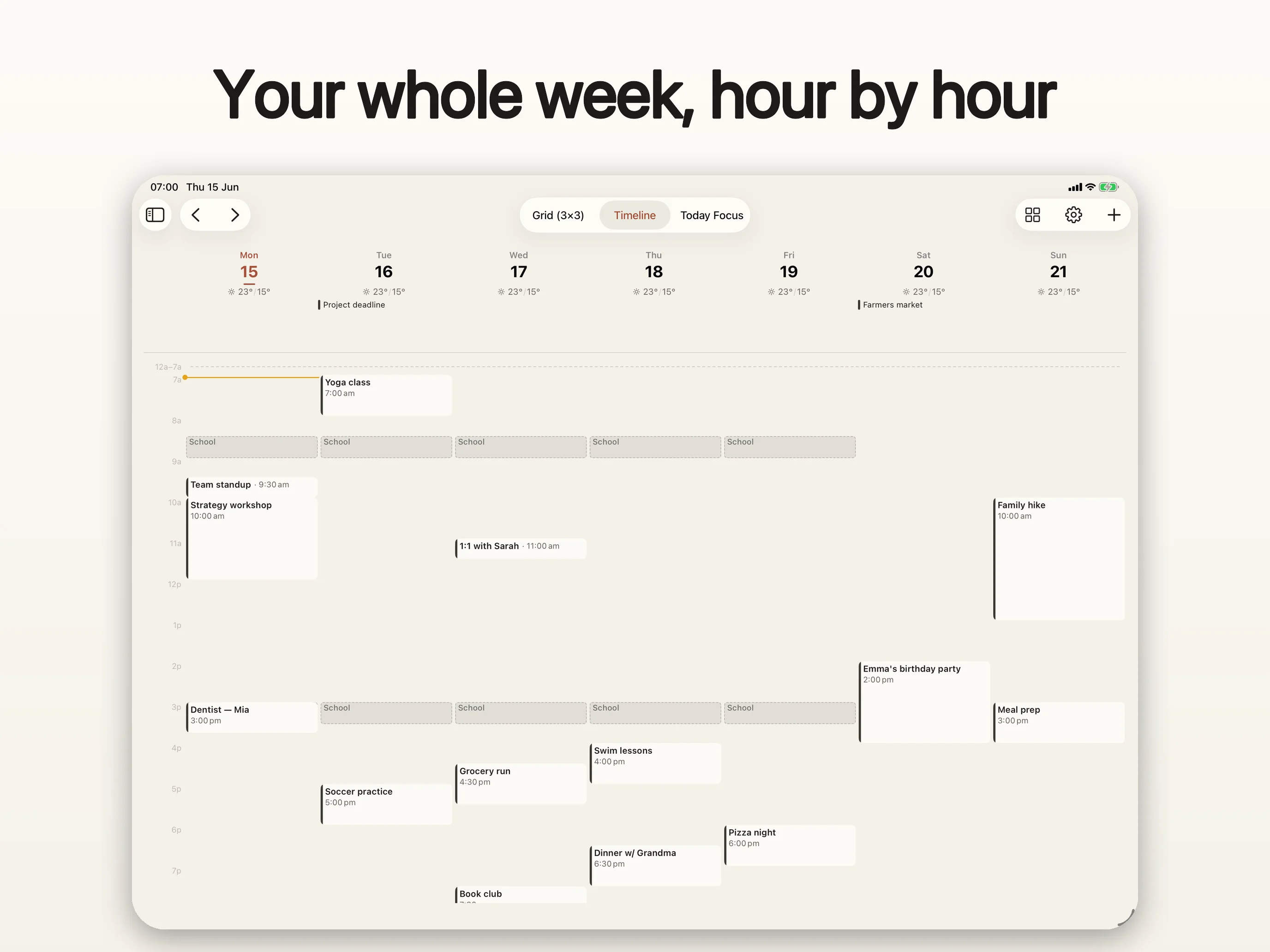
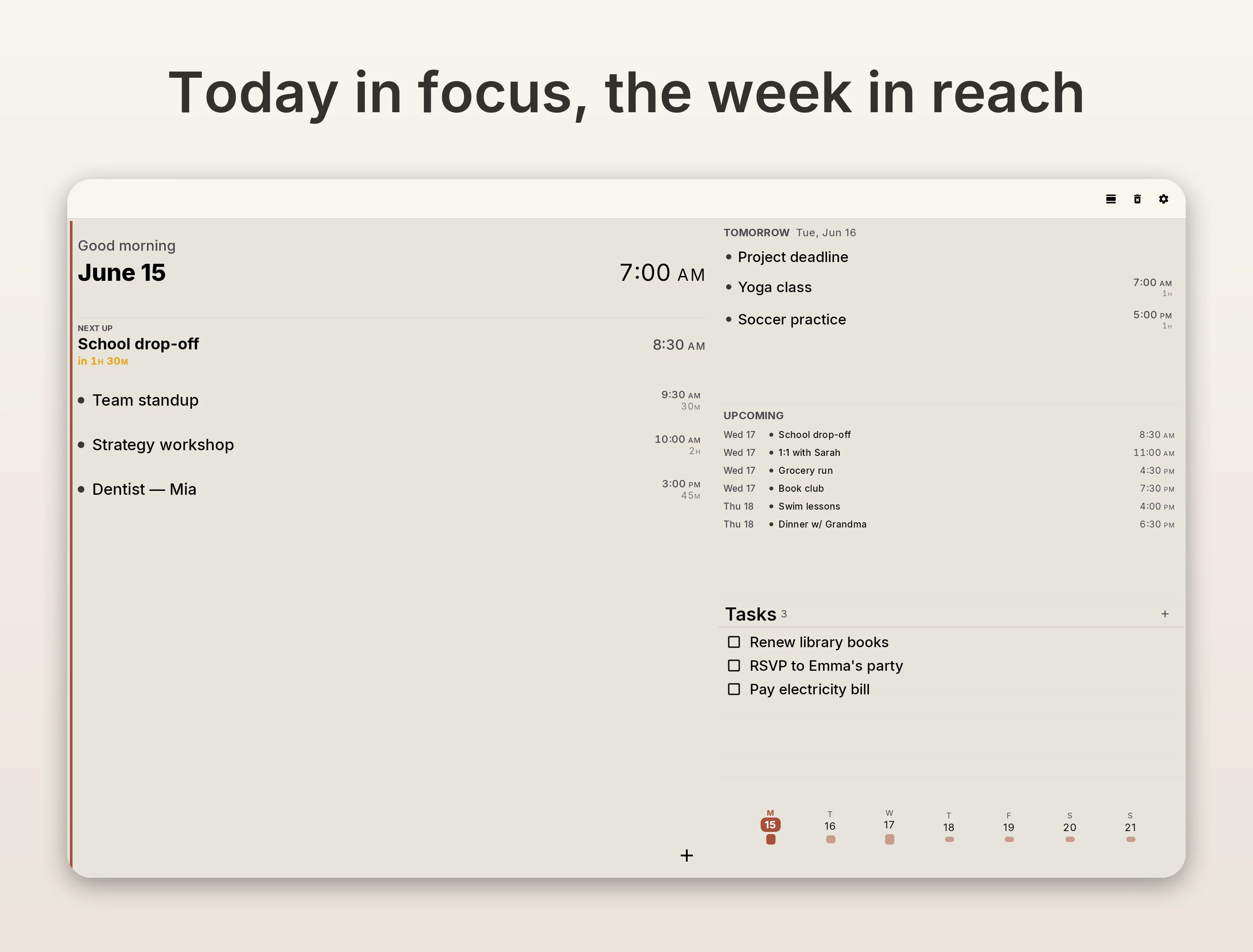
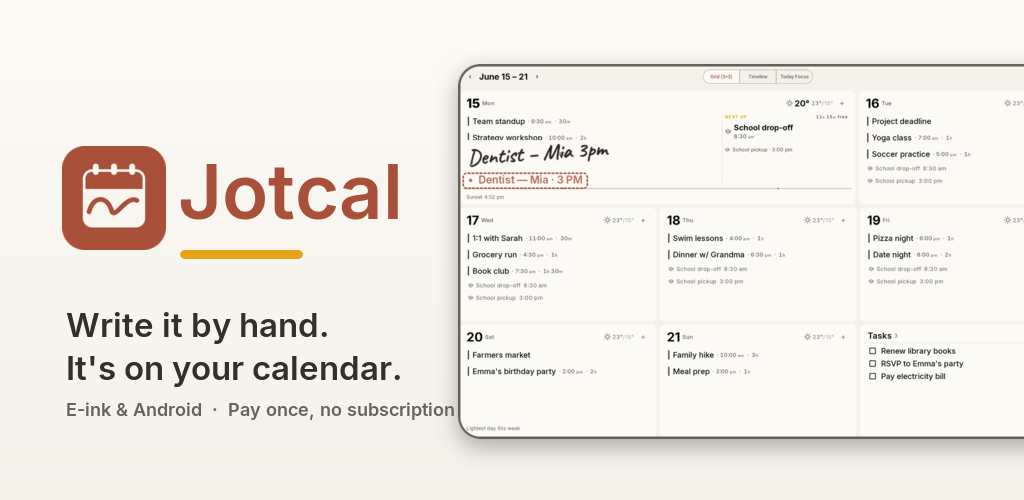
Full sets: iOS phone, iPad, Android phone, Android tablet. Every shot exists in light and dark; swap framed for framed-dark in any path, or take the zip.
Review copies
Jotcal is free to download with a 14-day full trial, so you can review the whole app on either platform today without a code. If you'd rather have permanent Pro access, or need codes for a giveaway to your readers, email support@jotcal.app and say roughly how many you need.
Boilerplate
Jotcal is a calm, glanceable family calendar for iOS and Android. It shows what's happening now and what's next on a single surface built to be read from across the room, works on e-ink and tablet wall displays, and turns handwritten notes into real synced calendar events. Jotcal is a one-time purchase with no subscription, no account, and no usage tracking. It's made by Aston Gilliland, an independent developer, and is available worldwide at jotcal.app.